
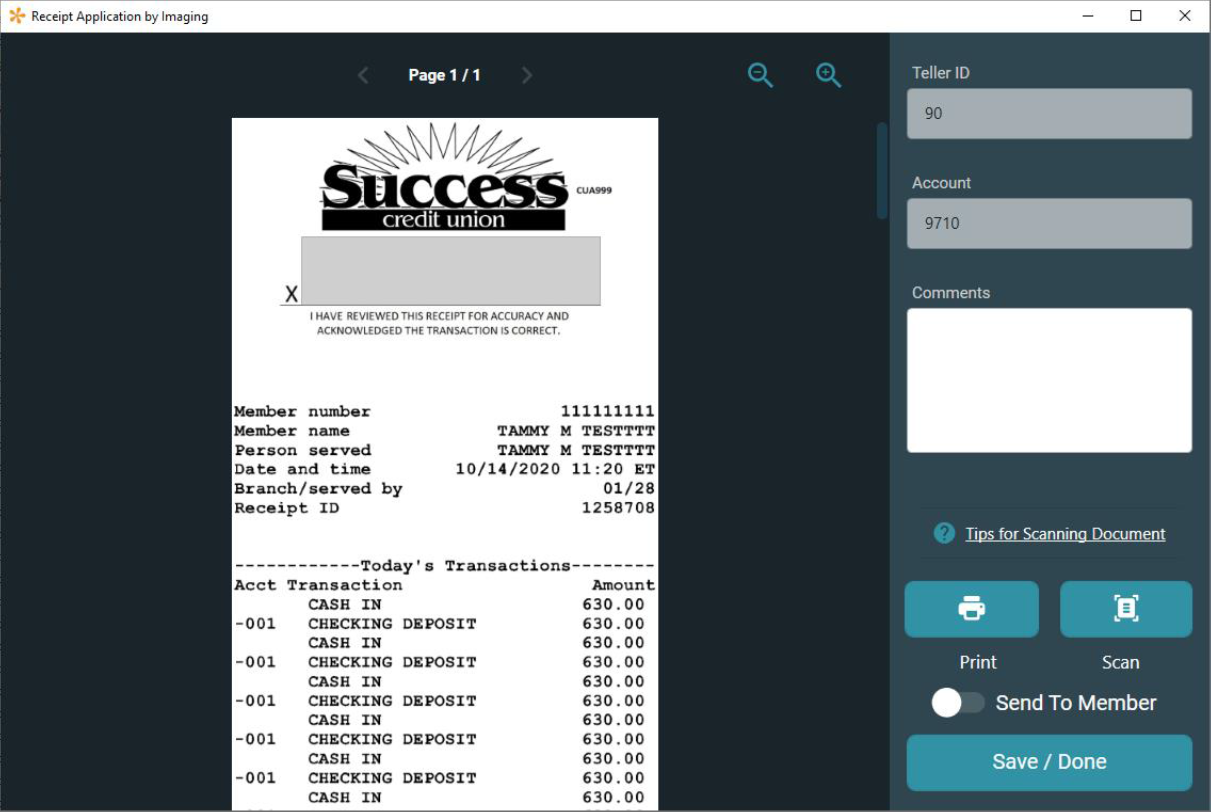
The Native Receipts application allows tellers to view, sign, print, and archive receipts, replacing all the functionality currently performed by ProDOC for receipts.
Features
- Modernized look and feel.
- Saves logo with receipt.
- Optionally send receipts to member storage in It’s Me 247.
- No need for a print session.
An additional benefit of this solution, it will become part of the core. Instead of a print session tossing the receipt over the fence to a third-party imaging system, we’ll be using data directly from CBX to construct and archive the receipt using our own solution. We’ll write it, we’ll own it, and we can innovate on it.
Requirements
- Must be an Online, Enhanced Online, or Inhouse Imaging Client
- Must use the vertical receipt format
- Must have firewall access to https://imagingsolutions.cuanswers.com/nativereceiptsconnection.html opened. If connection is not successful, email helpdesk@cuanswers.com your public IP addresses asking to gain access to https://imagingsolutions.cuanswers.com/nativereceiptsconnection.html for Native Receipts activation.
Activation Process
After signing up, an Imaging Solutions Account Executive will reach out with next steps. Activation should take 1-3 weeks including a 30-minute training session on the product and its features.
View the Native Receipts User Guide PDF